
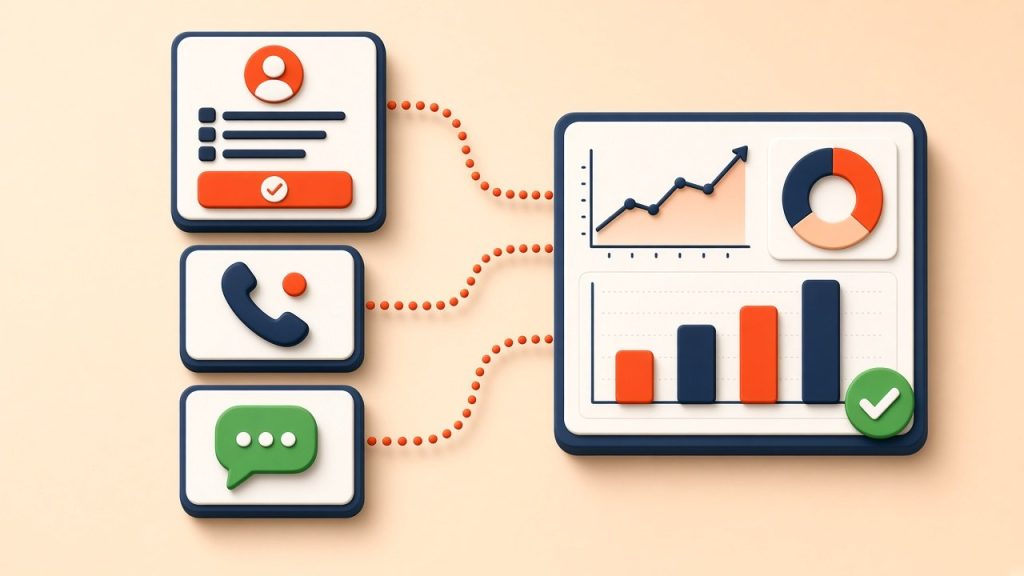
To track leads from your website, set up Google Analytics 4 with the Google tag, mark each enquiry action as a key event (form submissions, phone link clicks and WhatsApp link clicks), add UTM parameters to campaign links so you know where each visitor came from, and connect those events to Google Ads and Meta. Then record every lead in a CRM or spreadsheet with its source and outcome, so you can see which channels produce customers, not just enquiries.
Why lead tracking matters
Without tracking, marketing decisions rely on impressions and guesswork. You might know the phone rang more this month, but not whether it was because of Google Ads, your Business Profile, an Instagram post or a new blog article. Proper tracking shows which channels and pages produce enquiries, and which ones only produce traffic.
It also makes advertising more efficient. Google Ads and Meta use conversion data to decide who to show ads to; when they know which clicks led to enquiries, they can find more people like those visitors.
Step 1: Install Google Analytics 4 and the Google tag
Create a GA4 property and install the Google tag on every page of your site, directly, through a WordPress plugin or through Google Tag Manager. Tag Manager is the most flexible option because it lets you add and change tracking without editing site code each time.
Turn on enhanced measurement in GA4. It automatically records page views, scrolls, outbound clicks and some form interactions, which gives you a useful starting point.
Step 2: Track form submissions
Forms are often the main lead source. There are two reliable ways to track them:
- Thank-you page: send visitors to a dedicated confirmation page after they submit, then track views of that page as a lead. This is simple and accurate.
- Form submission event: if the form shows a message without changing page, use Google Tag Manager or your form plugin’s integration to send an event such as generate_lead when submission succeeds.
Avoid relying on GA4’s automatic form tracking alone, as it can count attempts that failed validation.
Step 3: Track phone calls and WhatsApp clicks
Many enquiries never touch a form. In India especially, customers often prefer to call or message on WhatsApp.
- Click-to-call: make phone numbers clickable with tel: links, then track clicks on those links as an event such as phone_click.
- WhatsApp: use wa.me links for chat buttons and track clicks as an event such as whatsapp_click.
- Call tracking numbers: for businesses where calls are the main lead source, call tracking services show a different number per channel and record which calls actually connected.
A click shows intent, not a confirmed conversation, so compare click numbers with the calls and chats your team actually receives.
Step 4: Mark key events in GA4
In GA4, the actions that matter most to the business are called key events; Google renamed them from “conversions” in 2024. In the Admin area, mark your lead events as key events so they appear in reports by channel, campaign and landing page.
Keep the list focused. Tracking a scroll or video play as a key event inflates results and makes reports less useful.
Step 5: Tag your campaign links with UTM parameters
UTM parameters are labels added to a link that tell analytics where the visit came from. A link in an Instagram bio might look like yoursite.com/?utm_source=instagram&utm_medium=social&utm_campaign=bio.
- utm_source names the platform, such as instagram, newsletter or gbp.
- utm_medium names the channel type, such as social, email, cpc or organic.
- utm_campaign names the specific campaign or offer.
Use them on social posts, email newsletters, WhatsApp broadcasts, QR codes and your Google Business Profile website link. Keep naming consistent, in lower case, so reports group correctly.
Step 6: Connect tracking to ad platforms
- Link GA4 to Google Ads and import your lead key events, or set up Google Ads conversion tracking directly.
- Install the Meta Pixel and set up the Conversions API so Meta receives lead events reliably.
- Where possible, upload offline conversions, such as which leads became paying customers, so the platforms optimise for sales rather than form fills.
For visitors in the European Economic Area and the UK, use a consent banner and Google Consent Mode so tracking respects privacy choices.
Step 7: Record all leads and their outcomes
Analytics shows how people arrived; a CRM or even a shared spreadsheet shows what happened next. For each lead, record the date, name, contact method, source, service requested, and outcome such as quoted, won or lost.
Ask new customers how they heard about you, and note the answer. Combining that with analytics data gives a far more accurate picture than either alone, especially for word-of-mouth and offline influences.
Reports worth checking monthly
- Leads by channel: organic search, paid search, social, referral and direct.
- Leads by landing page, to see which pages and services attract enquiries.
- Cost per lead and cost per customer for each paid campaign.
- Lead-to-customer rate by source, from your CRM.
Common lead tracking mistakes
- Counting every form view or button hover as a lead.
- Tracking forms but ignoring calls and WhatsApp.
- Duplicate tracking, where the same lead is recorded by several tags.
- Inconsistent UTM naming that splits one campaign into several rows.
- Never checking which leads turned into revenue.
Frequently asked questions
Is Google Analytics 4 free?
Yes, the standard version of GA4 is free and enough for most small and medium businesses.
Why do Google Ads and GA4 show different lead numbers?
They use different attribution models, counting windows and data sources, so small differences are normal. Large gaps usually indicate a setup problem worth checking.
How long does it take to set up lead tracking?
A basic setup for forms, calls and WhatsApp can be done in a day or two. Call tracking, offline conversion imports and CRM integration take longer.
Get your tracking set up properly
We set up conversion tracking as part of our lead generation and PPC management services. Read our landing page best practices, or book a free consultation to audit your current tracking.